Automate PCLaw
Integration & Workflows
Extend PCLaw with modern features—client portals, passive time capture, mobile access, and automated intake—without replacing your practice management system. Keep what works, add what's missing.
The Power of Integration
Typical opportunities teams unlock by automating PCLaw workflows
Captured through automated time tracking
Work from anywhere while PCLaw stays on-premise
Client onboarding with automated workflows
Reduced administrative overhead per attorney
The Manual Integration Challenge
Common problems businesses face without automated PCLaw integration
Stuck in the Office
PCLaw runs on your office server. Working from home or court means no access to client data, matters, or time tracking.
Lost Billable Time
Attorneys forget to log time or underestimate durations. Thousands of dollars in billable work goes unrecorded every year.
No Modern Client Portal
Clients expect online document sharing and status updates. PCLaw doesn't offer this, so you're stuck with email and phone calls.
Manual Client Intake
New client onboarding means paper forms, manual data entry, and hoping someone remembered to run the conflict check.
Document Chaos
Documents live in network folders, email attachments, and PCLaw. Finding the right version of the right file wastes time.
No API = No Integrations
PCLaw wasn't built for modern integration. There's no Zapier connector, no REST API, no easy way to connect other tools.
What We Connect PCLaw With
Seamlessly integrate PCLaw with your existing business systems
Client Portals
Secure online access for clients to view documents, case status, and share files—synced back to PCLaw.
Time Tracking
Passive time capture from email, documents, and calendar that creates draft entries in PCLaw.
Document Management
Connect SharePoint, iManage, or NetDocuments with matter-centric organization synced to PCLaw.
Calendaring
Sync PCLaw calendar with Outlook, Google Calendar, and court deadline systems.
E-Signature
DocuSign and Adobe Sign integration for engagement letters, retainers, and client documents.
Accounting
Sync trust accounting and general ledger data with external financial systems.
Integration Capabilities
Everything we can automate with PCLaw integration
Passive Time Capture
Automatically track time from email, document edits, and calendar events. Draft entries appear in PCLaw for attorney approval.
- Email activity tracking
- Document edit monitoring
- Calendar event capture
- Draft entry creation
Client Portal Integration
Give clients secure online access to documents, case status, and messaging—all synced with PCLaw matter data.
- Secure document sharing
- Case status visibility
- Client messaging
- Matter data sync
Automated Client Intake
Online intake forms with automatic conflict checking, engagement letter generation, and PCLaw matter creation.
- Online intake forms
- Conflict check automation
- Engagement letter generation
- Auto matter creation
Remote Access Layer
Access PCLaw data from anywhere through secure web and mobile interfaces without exposing your server to the internet.
- Web-based access
- Mobile apps
- Secure architecture
- Offline capability
Document Automation
Generate documents from templates with PCLaw matter and client data auto-populated.
- Template library
- Data auto-population
- Version control
- E-signature workflow
Trust Accounting Sync
Automated reconciliation and reporting for trust accounts with compliance tracking.
- Automated reconciliation
- Compliance reporting
- Client ledger sync
- Audit trail
Example Automation Scenarios
Representative integration patterns and potential outcomes
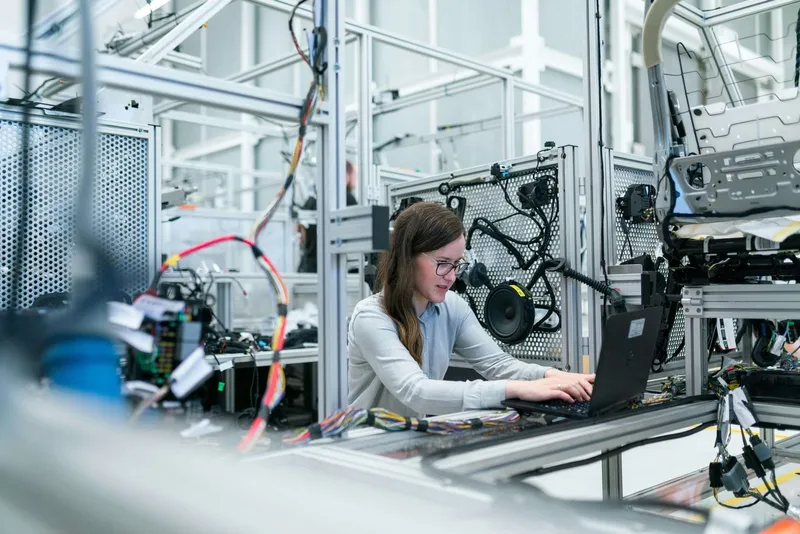
Example Scenario: Family Law Firm - Time Capture Automation
Illustrative scenario: A 12-attorney family law firm was losing an estimated $180K annually in unbilled time. Attorneys forgot to log consultations, document review, and email correspondence. We implemented passive time capture that monitors attorney activity and creates draft PCLaw entries. Billable capture increased 18% in the first quarter.
18% more billable hours
$135K recovered annually
95% attorney adoption
Zero workflow disruption

Example Scenario: Solo Practitioner - Practice Modernization
Illustrative scenario: A solo attorney using PCLaw for 15 years couldn't work remotely and was losing clients to tech-forward competitors. We built a client portal for document sharing and intake, plus mobile access to matter data—all synced with her existing PCLaw installation.
100% remote capability
50% faster intake
PCLaw preserved
Client satisfaction up
What our clients say

Marc-André Verville
Business Applications Manager
Groupe Océan
It's great to work with partners who are as collaborative and responsive as you are.

Chuck Baresich
President
Haggerty AgRobotics Company
Had the team prepare a system for us to automate the re-branding of our digital invoicing and statements. The system has been working flawlessly for over a year. Simple to administer and the team are easy to get in contact with make adjustments or update our requirements.

Marilee A Nowgesic
CEO
Canadian Indigenous Nurses Association
The team is friendly, reliable and extremely patient to ensuring our concerns are addressed and understood. They have enabled an open table to allow for their clients to receive timely (...really feels like 24/7 platforms...) and concise information on the latest trends in IT, data collection and many other relevant issues. DigitalStaff has also provided an environment that allows for multiple levels and skills of their clients - so you never have to feel like you're not contributing. Their ability to translate your project needs provides an impressive output/deliverable to suit the needs of our projects.

Kevin Potts
President
Norseman Construction
Oscar and his team are amazing, they are always there when we need them. The automation process has been truly amazing, and we have found alot more time and productivity in our day to day processes.

Kyle Watters
Owner
Elmira Stove Works
We have been using Digital Staff for almost 10 years now, they look after all of our network and computer IT needs. They are friendly and great people to work with, knowing they are only a phone call away is piece of mind in our business. I would highly recommend this company for all your IT needs and if you are looking to save time, money and improve efficiency.

Gerda Zonruiter
Senior Research and Evaluation Consultant
Centre for Organizational Effectiveness
Oscar has helped me problem solve and find solutions for specific tasks saving me a lot of time. He provided me with the instruction I needed to implement the solutions on my own. He was responsive and easy to work with.

Paul B Bélanger
Trademark Attorney
The Law Office of Paul B. Bélanger
I am familiar with the highly professional services of DigitalStaff. I resorted to the business services of DigitalStaff on numerous occasions, knowing they pay attention to provide high quality services at reasonable price. I recommend DigitalStaff in confidence knowing their specialized services will provide satisfaction to any client, small or large.

Jill Osborne
National Executive Director
Kids Kicking Cancer Canada
The DigitalStaff team helped create effective and affordable solutions for our small shop. They quickly gained an understanding of our needs and have helped us trouble-shoot along the way.

Michael Mandich
Customer
It was wonderful service. I found Oscar to be honest and thoughtful. He was always available to do even the smallest tasks. He tried to teach me many things on the computer and was patient even though I find it very difficult. I recommended him to friends and they had high praise for his abilities. It is easy to give him 5 stars ⭐️

Ali Tavakoli
AI, RPA, and Automation Developer
DigitalStaff
DigitalStaff is a great company for doing Robotic Process Automation, the owner is very friendly and can take care of any issues that come up very quickly. Highly recommend DigitalStaff for RPA workload or any other type of software development where you need to automate tasks.

Ilze Van der Merwe
National Expansion Manager
Kids Kicking Cancer Canada
Our Organization can highly recomend DigitalStaff. They have helped us automate many of our work processes which saves us time and makes us efficient. We are a small organization with few hands, and having DigitalStaff assist us in our IT and backend processes makes our work lighter which opens up our time to get to things that really matter, which is making a difference in Children's lives.

Dr. Joan Clayton
Psychologist
Dr. Reist & Associates
Excellent and prompt service, highly skilled, personable and always eager to help and resolve issues - ABSOLUTELY THE BEST

Joe Orendorff
Owner
Elmira Stove Works
Great Service!
Frequently Asked Questions
Everything you need to know about PCLaw integration
Can you integrate with PCLaw without replacing it?
Absolutely. We specialize in extending PCLaw rather than replacing it. Your PCLaw installation remains your system of record. We build layers on top that add modern features—client portals, mobile access, automated time capture—while keeping PCLaw as the central database.
How does passive time capture work with PCLaw?
We track attorney activity in email (Outlook/Gmail) and documents (Word, PDF). When you send an email or edit a document, the system logs the activity with matter association. At day's end, attorneys review draft time entries and approve them into PCLaw with one click.
Is the client portal secure enough for attorney-client privileged documents?
Yes. Portals use bank-level encryption (256-bit SSL), multi-factor authentication, and SOC 2 compliant infrastructure. All access is logged for audit trails. You control exactly what clients can see, and all data syncs securely to your PCLaw server.
What about Time Matters—do you work with that too?
Yes. Time Matters and PCLaw have similar integration challenges (legacy architecture, no modern API). We apply the same approaches: middleware layers, database sync, and automation that extends functionality without replacement.
How do remote attorneys access PCLaw data securely?
We build secure web layers that attorneys access from any browser. Data syncs from PCLaw through encrypted channels. Unlike VPN or Remote Desktop, this provides a modern interface optimized for remote work while keeping your PCLaw server behind your firewall.
Can you help us migrate away from PCLaw eventually?
If you decide to migrate to Clio, PracticePanther, or another modern platform, the integrations we build make migration easier. Your data is already flowing through modern systems, making the eventual transition less disruptive.
Related integrations
Automations that pair well with PCLaw
DocuSign
Automate engagement letters and retainers — route for signature, track status, and file the executed PDF into PCLaw and your document store without manual steps.
QuickBooks
Sync PCLaw billing to QuickBooks for trust accounting, client invoices, and firm financials with a clean audit trail.
Microsoft 365
Connect PCLaw matters to Outlook, Teams, and SharePoint with Power Automate flows that keep time entries and documents in sync.
Ready to Modernize PCLaw?
Get a free assessment showing how we'll add client portals, time capture, and mobile access to your PCLaw installation—without migration.
✓ No credit card required • ✓ Free consultation • ✓ Custom integration roadmap