Automate QuickBooks Desktop
Integration & Workflows
We automate QuickBooks Desktop Enterprise, from sales orders to bill entry, and handle the data and integration work if you move to QuickBooks Online.
The Power of Integration
Typical opportunities teams unlock by automating QuickBooks Desktop workflows
Sales orders, bills, invoices, and exports, connected to the Enterprise company file you already run.
Leaving Pro or Premier? Test runs, data checks, and integrations rebuilt for QuickBooks Online.
Builds are scoped at a fixed price after a discovery conversation. No hourly billing.
Every build comes with 60 days of monitoring. After that, Managed Automation starts at $1,000/mo.
The Manual Integration Challenge
Common problems businesses face without automated QuickBooks Desktop integration
Pro and Premier are no longer sold
As of April 15, 2025, Intuit no longer sells QuickBooks Desktop Pro or Premier to new subscribers in Canada. Existing subscriptions keep working while they stay active. Enterprise is still sold.
Zapier only works with QuickBooks Online
Zapier's QuickBooks integration supports QuickBooks Online only. Reaching a Desktop company file takes QuickBooks Web Connector or Intuit's SDK, and that's developer work.
Orders typed in twice
Confirmed quotes in your job or order software get re-typed into Enterprise as sales orders, line by line. Every handoff is a chance for a wrong quantity or a missed order.
Bills and invoices keyed by hand
Supplier bills and customer invoices arrive as PDFs and emails, and someone types each one into QuickBooks.
Data stuck in the company file
Getting numbers out of Desktop and into Excel, a dashboard, or another system means running and exporting reports by hand, every time.
Migration leaves loose ends
Intuit's migration tool moves your data. It doesn't rebuild your integrations or custom reports, and the results need checking before you trust them.
What We Connect QuickBooks Desktop With
Seamlessly integrate QuickBooks Desktop with your existing business systems
QuickBooks Desktop Enterprise
Sales orders, invoices, bills, and items, automated against your Enterprise company file on your own server or a hosted desktop.
QuickBooks Online
Moving off Desktop? We rebuild your integrations on Intuit's QuickBooks Online API, so your automation comes with you.
Job and order management software
Confirmed quotes and orders from your job-management or order-entry system, pushed into QuickBooks without re-typing.
Excel and reporting
Scheduled exports of QuickBooks data into Excel, CSV, or live dashboards.
E-commerce and CRM
Orders and customers from Shopify, your CRM, or a web portal, entered into QuickBooks automatically.
Documents and email
PDF purchase orders and emailed bills read, checked, and entered as orders or bills.
Integration Capabilities
Everything we can automate with QuickBooks Desktop integration
Sales orders in Enterprise
Confirmed orders from your job software, quotes, or online store become sales orders in QuickBooks Desktop Enterprise, checked before anything is written.
- Confirmed quotes become sales orders
- Customer and item checks first
- Duplicate check on every run
- A person reviews the exceptions
Moving to QuickBooks Online
Leaving Pro or Premier? We plan and check the move with you, then rebuild your integrations and automations on QuickBooks Online.
- Test migration on a copy first
- Balances and transactions checked against Desktop
- Integrations rebuilt for QuickBooks Online
- Automation running from day one
Invoice and bill entry
Customer invoices and supplier bills entered from PDFs, emails, or other systems, coded to your items and accounts, and logged.
- AI document extraction with checks
- Coding to your items and accounts
- PO and receipt matching
- A record of every entry
Data out, automatically
Scheduled exports from QuickBooks Desktop into Excel, CSV, dashboards, or another system, so nobody runs reports by hand.
- Scheduled report exports
- Dashboards fed from Desktop data
- Sync to CRM, inventory, or BI tools
- Clean history for a migration
The right connection for each job
We use Intuit's SDK and QuickBooks Web Connector where they fit, file import and export where that's cleaner, and UI automation for the gaps.
- SDK and Web Connector (qbXML)
- IIF and file import/export
- UI automation where nothing else reaches
- Runs on our Canadian infrastructure or inside your network, whichever your setup needs
Checked, logged, and maintained
Your company file is the business. Every write is checked first and logged, and monitoring watches for breakage after QuickBooks or Windows updates.
- Writes go through QuickBooks, not around it
- Validation and duplicate checks before entry
- A full action log for your accountant
- Fixes included with Managed Automation
Example Automation Scenarios
Representative integration patterns and potential outcomes
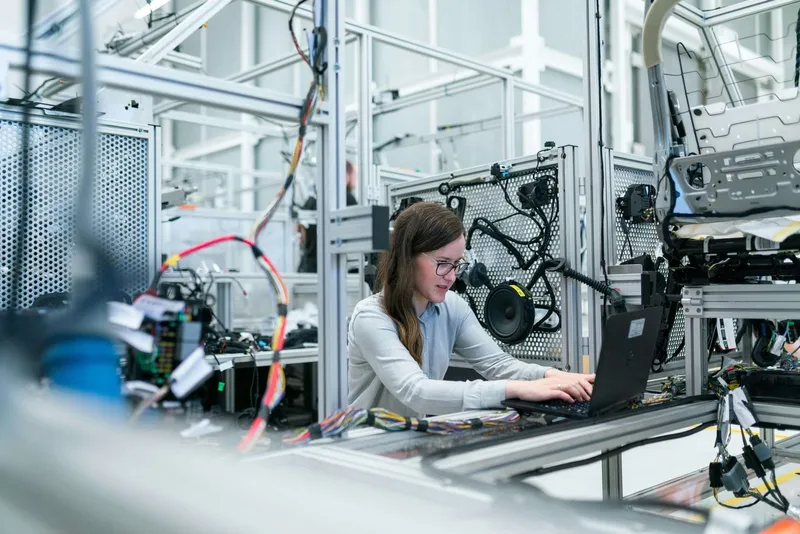
Manufacturing: job software to QuickBooks Enterprise sales orders
Illustrative example: A manufacturer runs QuickBooks Desktop Enterprise on a local server and quotes jobs in separate job-management software. Every confirmed quote gets re-typed into Enterprise as a sales order, which is slow and invites mistakes. The automation picks up each confirmed order, checks the customer, items, and prices, skips duplicates, and creates the sales order in Enterprise. Anything that doesn't match goes to a person for review instead of being guessed.
Confirmed orders become sales orders
Customer and item checks first
Duplicate check on every order
Exceptions reviewed by a person
What our clients say

Marc-André Verville
Business Applications Manager
Groupe Océan
It's great to work with partners who are as collaborative and responsive as you are.

Chuck Baresich
President
Haggerty AgRobotics Company
Had the team prepare a system for us to automate the re-branding of our digital invoicing and statements. The system has been working flawlessly for over a year. Simple to administer and the team are easy to get in contact with make adjustments or update our requirements.

Marilee A Nowgesic
CEO
Canadian Indigenous Nurses Association
The team is friendly, reliable and extremely patient to ensuring our concerns are addressed and understood. They have enabled an open table to allow for their clients to receive timely (...really feels like 24/7 platforms...) and concise information on the latest trends in IT, data collection and many other relevant issues. DigitalStaff has also provided an environment that allows for multiple levels and skills of their clients - so you never have to feel like you're not contributing. Their ability to translate your project needs provides an impressive output/deliverable to suit the needs of our projects.

Kevin Potts
President
Norseman Construction
Oscar and his team are amazing, they are always there when we need them. The automation process has been truly amazing, and we have found alot more time and productivity in our day to day processes.

Kyle Watters
Owner
Elmira Stove Works
We have been using Digital Staff for almost 10 years now, they look after all of our network and computer IT needs. They are friendly and great people to work with, knowing they are only a phone call away is piece of mind in our business. I would highly recommend this company for all your IT needs and if you are looking to save time, money and improve efficiency.

Gerda Zonruiter
Senior Research and Evaluation Consultant
Centre for Organizational Effectiveness
Oscar has helped me problem solve and find solutions for specific tasks saving me a lot of time. He provided me with the instruction I needed to implement the solutions on my own. He was responsive and easy to work with.

Paul B Bélanger
Trademark Attorney
The Law Office of Paul B. Bélanger
I am familiar with the highly professional services of DigitalStaff. I resorted to the business services of DigitalStaff on numerous occasions, knowing they pay attention to provide high quality services at reasonable price. I recommend DigitalStaff in confidence knowing their specialized services will provide satisfaction to any client, small or large.

Jill Osborne
National Executive Director
Kids Kicking Cancer Canada
The DigitalStaff team helped create effective and affordable solutions for our small shop. They quickly gained an understanding of our needs and have helped us trouble-shoot along the way.

Michael Mandich
Customer
It was wonderful service. I found Oscar to be honest and thoughtful. He was always available to do even the smallest tasks. He tried to teach me many things on the computer and was patient even though I find it very difficult. I recommended him to friends and they had high praise for his abilities. It is easy to give him 5 stars ⭐️

Ali Tavakoli
AI, RPA, and Automation Developer
DigitalStaff
DigitalStaff is a great company for doing Robotic Process Automation, the owner is very friendly and can take care of any issues that come up very quickly. Highly recommend DigitalStaff for RPA workload or any other type of software development where you need to automate tasks.

Ilze Van der Merwe
National Expansion Manager
Kids Kicking Cancer Canada
Our Organization can highly recomend DigitalStaff. They have helped us automate many of our work processes which saves us time and makes us efficient. We are a small organization with few hands, and having DigitalStaff assist us in our IT and backend processes makes our work lighter which opens up our time to get to things that really matter, which is making a difference in Children's lives.

Dr. Joan Clayton
Psychologist
Dr. Reist & Associates
Excellent and prompt service, highly skilled, personable and always eager to help and resolve issues - ABSOLUTELY THE BEST

Joe Orendorff
Owner
Elmira Stove Works
Great Service!
Frequently Asked Questions
Everything you need to know about QuickBooks Desktop integration
Is QuickBooks Desktop being discontinued in Canada?
Partly. Intuit says that as of April 15, 2025, QuickBooks Desktop Pro, Premier, and Desktop Payroll are no longer sold to new subscribers in Canada. Existing subscribers can keep using their version while the subscription stays active. QuickBooks Desktop Enterprise isn't affected and is still sold.
Should we move from QuickBooks Desktop to QuickBooks Online?
It depends on your edition. On Pro or Premier, start planning the move. Intuit no longer sells either to new subscribers, which tells you where they're heading, and QuickBooks Online Plus and Advanced cover sales orders in Canada. On Enterprise, staying put and automating around it is a reasonable choice if your inventory and order workflows depend on it. If you do move, we handle the parts Intuit's migration tool leaves to you: checking the data and rebuilding your integrations.
Can you automate QuickBooks Desktop Enterprise?
Yes: sales orders, bills, invoices, items, and getting data out to Excel or dashboards. How we connect depends on where QuickBooks runs. On your own server or a workstation, we can usually use Intuit's SDK and QuickBooks Web Connector. Hosted desktops such as Rightworks control what can be installed, so we check what your host allows before we design anything.
Can you create sales orders in QuickBooks automatically?
In QuickBooks Desktop Enterprise, yes. We create them from your quotes, job software, or online store, with validation and duplicate checks before anything is written. We use Intuit's SDK where your version supports it and UI automation where it doesn't. QuickBooks Online is more limited. Plus and Advanced have sales orders in Canada, but Intuit's standard accounting API has no SalesOrder entity, and its newer GraphQL Sales Order API is only available for restricted use. For Online, we design around what the API supports, such as estimates and invoices.
Does Zapier work with QuickBooks Desktop?
No. Zapier's QuickBooks integration supports QuickBooks Online only. That's not a flaw in Zapier: Desktop is a Windows program with the company file on your server, and reaching it takes QuickBooks Web Connector or Intuit's SDK. That's the kind of connection we build.
Is there an API for QuickBooks Desktop?
Not a modern web API like QuickBooks Online has. Desktop has Intuit's SDK and QuickBooks Web Connector, which exchange qbXML messages with QuickBooks on the computer where it's installed. Web Connector starts every exchange from your side, so you don't have to open your firewall to the internet. Where those tools don't reach, we use file import or UI automation.
Is it safe to automate our company file?
Yes, when it's done carefully. Every write goes through QuickBooks itself, is checked for errors and duplicates first, and is logged so your accountant can see exactly what the automation did. Your company file stays where it is. Where the automation runs depends on your setup: on our Canadian infrastructure, or on a machine inside your network next to QuickBooks. We work that out with you during discovery.
What happens when QuickBooks or Windows updates?
Updates are a common reason automations break. Every build comes with 60 days of monitoring. After that, Managed Automation keeps watching, and fixing an integration after an update is part of the monthly fee, not a surprise repair bill.
What does QuickBooks Desktop automation cost?
Builds are a fixed price, scoped after a discovery conversation. No hourly billing. Managed Automation starts at $1,000 a month and is priced on the complexity of what we run for you.
Related integrations
Automations that pair well with QuickBooks Desktop
QuickBooks Online
Already on Online, or moving there? Invoicing, AP, and syncs through Intuit's API.
Desktop to Online: what nobody tells you
What the migration tool moves, what it leaves behind, and how to plan the switch.
Custom software integration
The wider service: connecting systems with no API, behind a VPN, or on a local server.
Tell us what still gets typed into QuickBooks
Describe what your team still does by hand in QuickBooks, or what's holding up your move to Online, and we'll show you how we'd handle it.
✓ No credit card required • ✓ Free consultation • ✓ Custom integration roadmap