NetSuite Bank Reconciliation Automation
How to set up automatic bank reconciliation in NetSuite — AI matching, multi-currency handling, and the workflow that cuts reconciliation time 50–80%.


If you close the books in NetSuite, you already know where the time goes: bank reconciliation. Matching thousands of bank lines to NetSuite entries, chasing the handful that don’t tie out, posting fees and FX adjustments by hand. It’s the single most automatable task in your month-end — and the one most teams still do manually.
Here’s the short version: you can automate 80% of the matching, pull statements in without logging into a single bank portal, and get 20–32 hours a month back. This post walks through how automatic reconciliation in NetSuite actually works, where it breaks, and how to build it.
TL;DR — Automate three things: statement collection, transaction matching (rules + AI), and exception surfacing. Companies typically cut reconciliation time 50–80%. The goal isn’t zero humans — it’s humans only on the genuine exceptions.
Why NetSuite bank reconciliation eats your month
Bank reconciliation sounds simple: match transactions from your bank to entries in NetSuite. It isn’t, once you’re at scale. Manual reconciliation means:
- Downloading statements from multiple bank portals
- Importing data into NetSuite (or copying it in by hand)
- Matching each bank transaction to the corresponding NetSuite entry
- Investigating the discrepancies that don’t tie out
- Creating journal entries for fees, interest, and corrections
For a company with 10 bank accounts and 5,000 transactions a month, that’s days of work — every month, usually from your most expensive accounting staff.
What automatic reconciliation in NetSuite looks like
The good news: most of this can be automated. Here’s the workflow we build.
Automated statement collection
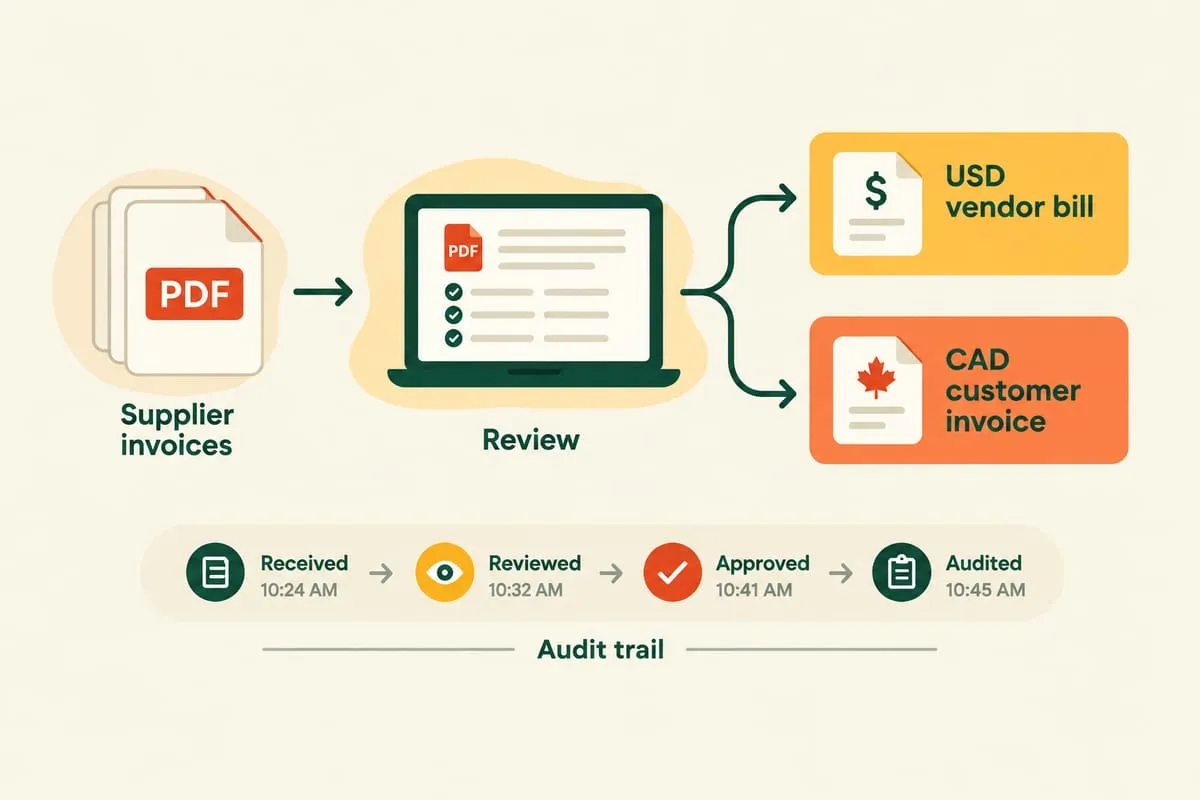
Instead of manually logging into bank portals, automated connections pull statement data directly. Most major banks support electronic feeds. For the ones that don’t, scheduled file downloads or secure scraping fill the gap. Either way, no one is keying statements by hand.
Smart matching (rules + AI)
Matching doesn’t have to be manual. Rules-based matching handles the easy cases instantly: exact amount matches, reference-number matches, payee-name matches — typically the bulk of your volume.
For the fuzzy cases — partial matches, split payments, timing differences — machine-learning models suggest matches with confidence scores and learn from your historical matching decisions. The longer it runs, the better it gets at your patterns.
Exception handling
Not every transaction will auto-match, and that’s fine. The win is surfacing exceptions fast with the context to resolve them. A good automation:
- Highlights unmatched items immediately
- Shows potential matches ranked by confidence
- Remembers manual decisions so the same exception doesn’t recur next month
Multi-currency handling
If you operate internationally, FX adds complexity. Exchange-rate differences between booking date and clearing date create small variances that have to be reconciled. Automation applies your standard variance thresholds and posts the appropriate gain/loss entries automatically — across every account and currency.
A worked example: the ROI
Numbers make this concrete. Here’s a representative mid-market NetSuite shop:
| Manual | Automated | |
|---|---|---|
| Bank accounts | 10 | 10 |
| Transactions / month | 5,000 | 5,000 |
| Auto-matched | ~0% | ~80% |
| Reconciliation hours / month | 40 | 8–12 |
| Hours back / month | — | 28–32 |
At a fully-loaded accounting cost of, say, $55/hour, 28 hours back is roughly $1,500/month — and that’s before you count faster closes and fewer errors. The automation pays for itself in the first quarter, then keeps paying.
How to build it (start here)
Don’t try to automate everything at once. Map your current process first:
- Where do bank statements come from?
- What matching rules does your team actually apply?
- What are the common exception types?
- How are adjustments and FX entries posted?
Then automate step by step, starting with the most time-consuming part — almost always the initial matching pass. Automating even 80% of matches dramatically reduces the manual workload, and you build trust in the system before you hand it the harder cases.
A note on philosophy: we don’t let an LLM silently post to your ledger. AI reads and suggests; deterministic rules execute and log. Every match and adjustment leaves an audit trail your accountant can check. That’s what makes finance automation safe to turn on.
Beyond NetSuite
This same pattern — automated collection, rules-plus-AI matching, exception surfacing — works for QuickBooks, Xero, and Sage too. For the platform-agnostic playbook, see our guide to bank reconciliation automation. If you’re running NetSuite specifically, our NetSuite integration & automation work covers reconciliation alongside AP, AR, and reporting. And if your receivables are part of the same close pain, accounts receivable automation closes that loop.
Bank reconciliation is tedious but critical. Automating it makes your close faster, more accurate, and far less dependent on one person’s institutional knowledge.
Drowning in NetSuite reconciliation every month? Get a free automation plan and we’ll map exactly what we’d automate first — and what it’s worth to you.