Trial Balance Account Mapping Automation
CaseWare carries map numbers forward, so mapping looks solved. What's left: new accounts, changed charts, files with no history and roll-forward checks.

If your firm runs CaseWare, mapping sounds like a solved problem. Map numbers carry forward. The accounts that were mapped last year land where they landed last year, and nobody redoes the whole trial balance by hand.
So why is it still on anyone’s list? Because the carry-forward handles the easy part, and the easy part was never where the time went.
Here’s the scene. A client’s trial balance arrives from QuickBooks Online. It has 140 accounts. Last year it had 137. Two were added because the bookkeeper started tracking a new revenue line, one was renamed from “Misc Income” to “Other Revenue”, and one that used to carry a balance is now dormant. The accounts that didn’t change are fine. The new ones need a decision, the renamed one needs a second look, and somebody still has to confirm that everything rolls forward from last year.
What the carry-forward doesn’t do
Carrying map numbers forward is a lookup, which is exactly what software should do. But it leaves real work behind:
- New accounts. Anything without last year’s map number needs a decision.
- Renamed or repurposed accounts. Same number, different use. The carry-forward puts it where it went last year, which may now be wrong.
- Changed charts. A client who moved from Sage 50 to QuickBooks Online or Xero, or whose bookkeeper restructured the chart, can arrive with very little that maps by itself.
- Files with no history. Small files kept in Excel, or new clients with no prior-year file, start from zero.
- Roll-forward checks. Does this year’s opening balance equal last year’s closing for every account? Did a reclass or a late adjustment break continuity? Somebody still checks, usually by eye.
None of these is hard on its own. Across a client list of a few hundred files, it’s the same small decisions made over and over, by people who are paid to do something harder.
Why the leftovers are a good automation target
They’re repetitive at scale. Every client, every year, the same handful of decisions.
They’re mostly rule-bound. Account numbers fall in ranges. Names contain words like “HST”, “payable”, “amortization” and “shareholder”. A firm’s mapping conventions are consistent enough to write down.
The genuinely ambiguous cases are few and easy to spot. A new account called “Adjustments” with no history is ambiguous. A new account called “HST Payable” is not.
That profile, mostly deterministic with a thin layer of ambiguity, is the right shape for automation. It’s also the opposite of throwing the whole trial balance at a language model and hoping.
A design that works
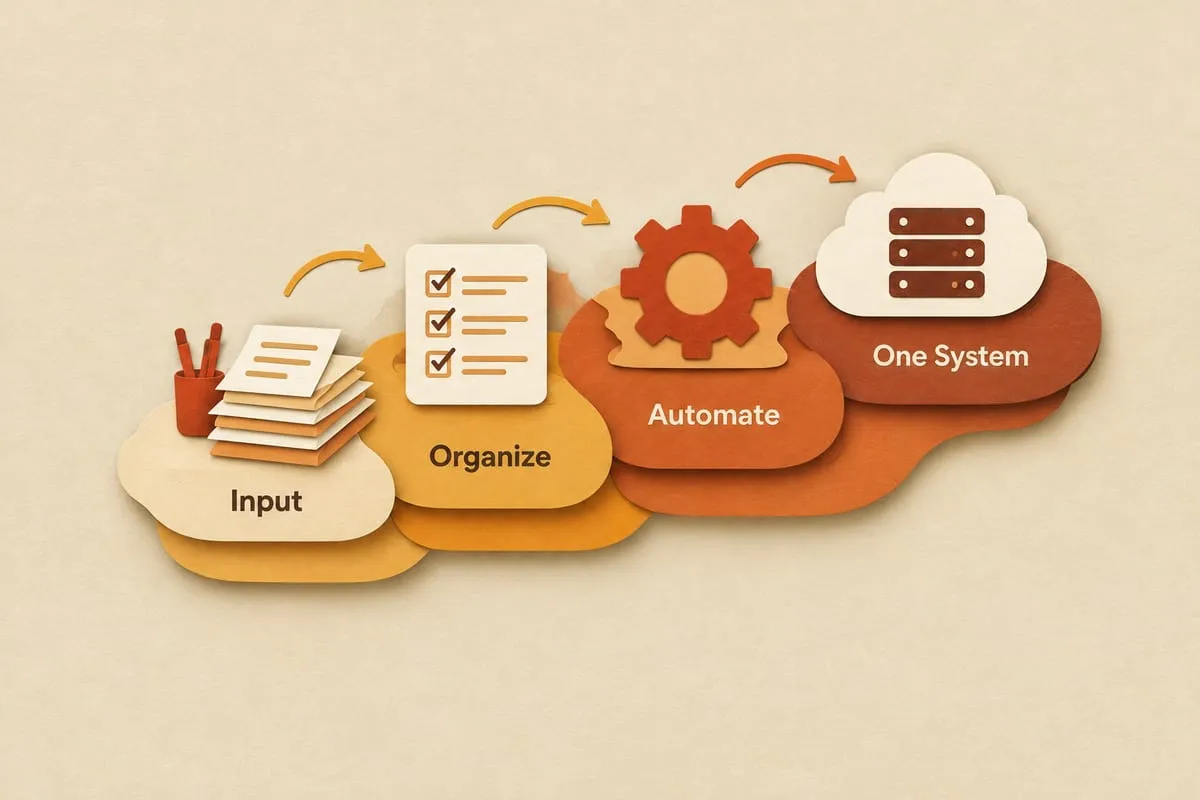
Here’s a design that works: a sequence of increasingly expensive tools, each applied only where the cheaper one didn’t settle the question.
Step 1: Normalize and balance the export
Before anything is mapped, software cleans the trial balance: consistent columns, consistent number formats, debits and credits checked, the export reconciled to itself. If the file doesn’t balance, nothing proceeds. This is boring, and it catches a surprising number of problems, including the “someone exported the wrong period” problem.
The same step compares this year’s account list with last year’s. New accounts, renamed accounts, dormant accounts and accounts whose numbers changed are flagged before a person looks at anything.
Step 2: Let the prior-year mapping do its job
Every account that existed last year, with the same number and a recognizably similar name, keeps last year’s mapping. No AI and no decision. If your working-paper software already carries map numbers forward, that’s happening anyway, and the automation doesn’t redo it. What it adds is the flag on the renamed account, so a changed name doesn’t get carried forward silently.
Step 3: Apply the firm’s deterministic rules
The remaining accounts go through rules the firm already applies in its head. Number ranges. Keyword patterns. Account type from the bookkeeping system. “If the account type is Bank, map to cash and equivalents.” “If the name contains HST, map to sales tax payable or receivable depending on the balance.” These rules are written once, reviewed by the firm and applied the same way to every client.
Rules are also where you encode the things your firm cares about that a generic tool would never know: which clients have a non-standard revenue breakdown, which mapping goes with which financial statement layout. They matter most for the clients who changed charts or have no prior-year file, because there’s no carry-forward to lean on.
Step 4: Ask AI about the ambiguous few
Now there are a handful of accounts left: new, renamed, or just badly named. This is where a language model earns its place. It reads the account name, the account type, the sign and size of the balance, a sample of the ledger activity and the firm’s own mapping structure, and proposes a mapping with a reason: “Balance is a credit, activity is monthly payments to a lender, suggest long-term debt.”
The suggestion comes with a confidence score. Above the firm’s threshold, it’s applied and flagged for review. Below it, it stops.
Step 5: A person confirms the uncertain ones
The preparer sees a short list: these accounts are new, here’s what we suggest and why, confirm or change. That takes minutes. Every confirmation is saved, so next year those accounts are handled in Step 2.
This is the human gate. It isn’t optional and it isn’t a formality. It’s where the professional makes the call on the cases that need one.
Step 6: Check the roll-forward
Opening balances are compared with last year’s closing balances, account by account. Differences are listed with the amount, so a reclass or a late adjustment shows up as a question on day one instead of a surprise in review.
Step 7: Deliver in the format the working file wants
The checked, mapped trial balance goes into the working-paper or tax software through whatever import it accepts. That’s custom work around the software, not a native connector, and if a deeper integration is worth building for a particular firm, we’ll assess it and say so plainly.
What you get out of it
The obvious win is time: the exceptions get handled early, and the same way for every client, instead of whenever a preparer gets to them.
The less obvious wins matter more over time:
- Consistency. The same account maps the same way across every client and every preparer. Fewer “why is this here?” questions in review.
- A record of decisions. Every mapping has a source: prior year, rule number, or AI suggestion confirmed by a named person. That’s traceable in a way “Sarah did it in March” is not.
- Early visibility. New, renamed and dormant accounts are flagged on day one, which surfaces questions for the client early instead of in the last week.
- Compounding coverage. Each confirmed mapping becomes a prior-year mapping. The exception list gets shorter every season.
Where it goes wrong
Two failure modes come up when firms try this themselves or buy a tool for it.
The first is letting AI do all of it. Language models are inconsistent on repetitive structured tasks, and they don’t know your firm’s conventions. Applying a model to all 140 accounts means 140 chances for a plausible-looking wrong answer. Applying it to the five ambiguous ones, after the carry-forward and the rules have handled the rest, means five suggestions a person can check in a minute.
The second is skipping the balance and roll-forward checks. A mapping that’s technically correct on an export that doesn’t tie out, or that breaks continuity with last year, is worse than no mapping, because it looks finished.
What comes next
Mapping is the front door to the file. Once the trial balance is normalized, balanced and mapped with a record of every decision, the rest of the file can build on it: tying balances to statements, rolling forward schedules, drafting variance explanations, assembling the review package. That full flow is on our year-end file preparation automation page, and the thinking behind which parts of a compilation should and shouldn’t be automated is in CSRS 4200 compilation engagements: what AI should automate.
If your team handles these exceptions by hand across a few hundred clients a year, it’s worth a conversation. Start on the accounting firms page, see how pricing and discovery work, or book a 25-minute intro call.