DocuSign Automation: The Signature Is Only the Middle Step
DocuSign signs the document. The real workflow — generating the right contract, routing it, tracking status, and turning a signed PDF into updated CRM, accounting, and project records — is what actually eats the day.

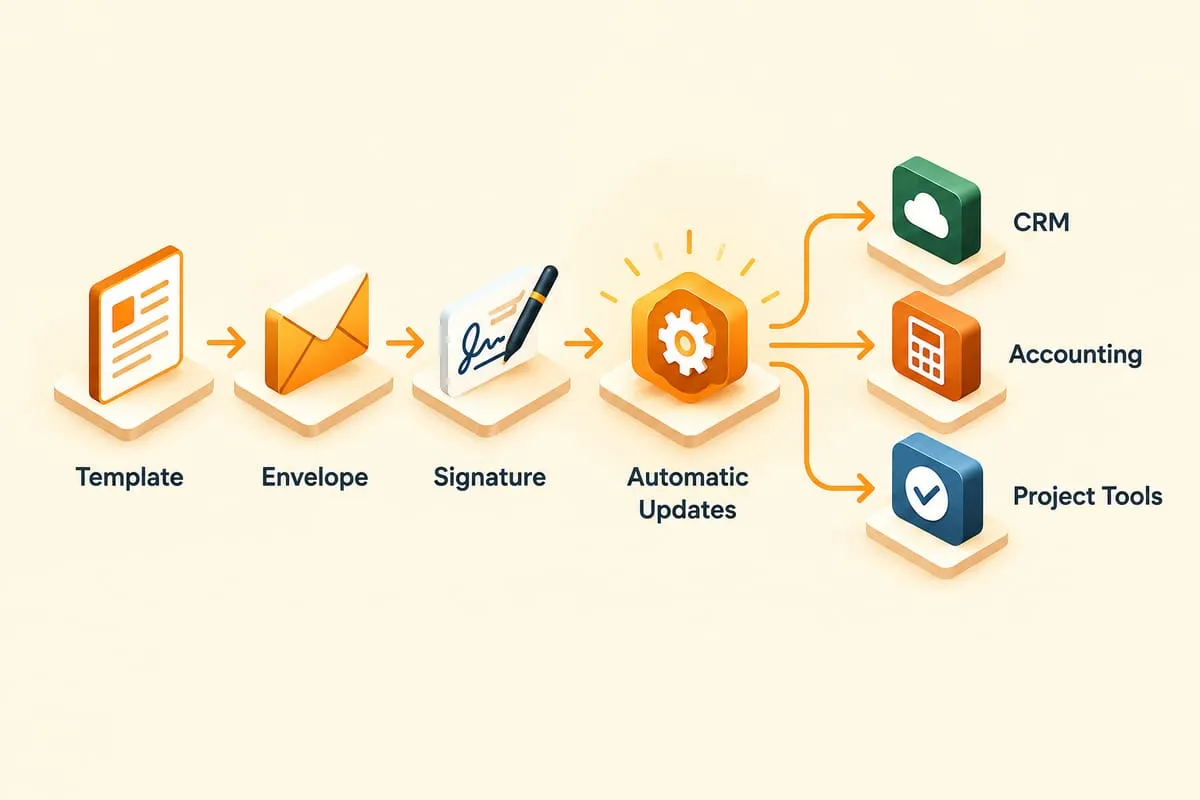
DocuSign signs the document. That’s the easy part.
Everything around the signature — generating the right contract, routing it to the right people, tracking who still hasn’t signed, and turning the completed PDF into updated records across your other systems — is where the time actually goes. That’s the part worth automating.
The problem isn’t signing. It’s everything around signing.
Most businesses have some version of this workflow:
Someone realizes a contract needs to go out. They find last quarter’s version in a shared drive called something like Final_v7_REAL_FINAL.xlsx. They copy it, change the customer name, update the pricing, fix the date at the top and miss the date at the bottom. They convert it to PDF. They open DocuSign, upload it, drop in the signature tags, pick the recipients, and send.
Then the waiting starts. Has the customer looked at it? Should we send a reminder? Has their CFO seen it? When it finally comes back signed, someone downloads the PDF, renames it, drops it into the project folder, emails accounting so they can start billing, updates the CRM, maybe updates the project management system, and — if anyone remembers — archives it somewhere compliance will be able to find later.
The five-second signature is the smallest piece of that workflow. The preparation before it and the fallout after it are what actually consume the day.
Before signing: what can be automated
Most of the prep work runs on data you already have.
- Document generation. Pull customer name, pricing, effective date, and jurisdiction from your CRM or a form submission, drop them into a template, and produce the contract. No more copy-paste from last quarter’s version.
- Template selection. The right template depends on what’s being signed. Master service agreement, statement of work, NDA, engagement letter — all different. Rules engine picks the right one based on the deal’s attributes.
- Recipient routing. Signer order matters. Client signs first, internal approver counter-signs, finance gets cc’d. That routing is the same every time — it should be configured once, not re-picked per envelope.
- Pre-flight data extraction. If the input document is inbound (a signed NDA from the customer’s template, for example), intelligent document processing can extract the terms before the envelope even exists so the internal record is ready to go.
- Optional human review before send. High-value or unusual contracts should still get a set of eyes before anything reaches the customer. Automation hands it to the right person, and the send happens after approval — not instead of it.
During signing: what can be automated
Once the envelope is out, the automation doesn’t go to sleep.
- Status tracking. Every change of state — sent, delivered, viewed, signed, declined — becomes a data point. A small operations dashboard that shows “12 contracts out, 3 awaiting customer, 2 awaiting internal counter-sign, 1 overdue” is more useful than poking at DocuSign’s web UI.
- Reminders on a schedule you choose. Automatic nudge after three days, another after seven, escalate to the account manager after ten. Configurable, not hard-coded.
- Internal notifications. Slack or Teams messages to the account owner when the customer signs, or to finance when the contract is fully executed. No more “did that close yet?” pings.
- Exception handling. Declined envelopes, bounced email addresses, signer changes — these need a human, but the automation should surface them immediately instead of letting them rot.
After signing: what can be automated
This is where the real compounding savings are.
- Archive the PDF correctly. Named by customer and date, filed into the right folder, tagged with metadata, and (if compliance demands) copied into an archive with a retention policy.
- Extract field values. Effective date, contract value, renewal date, signing party — pull them out of the signed envelope and push them into your CRM and accounting system so no one has to retype them.
- Trigger the next workflow. Create the invoice in QuickBooks. Kick off project setup in the PM tool. Update the opportunity in Salesforce from “Contract Sent” to “Closed Won.” Notify the onboarding team. This is usually a job for Power Automate, Zapier, or a custom orchestration layer — DocuSign events feeding the flow.
- Close the loop. A short summary emailed to the deal team: contract signed, PDF filed here, invoice created, project created, next review date set.
An example workflow
Not a case study — just a sketch of what “automated end-to-end” looks like for a generic B2B customer onboarding package.
- Sales marks a deal Closed Won in the CRM.
- Automation pulls customer details, pricing, and term length.
- The right template is selected (one-off project vs. recurring service).
- The document is generated and pre-filled.
- An envelope is created and routed — customer first, internal counter-signer second.
- Reminders fire automatically until it’s signed.
- On completion, the PDF is archived, the CRM is updated, an invoice is created, project setup kicks off, and the deal team gets a summary.
Total human time on the signing workflow itself: about sixty seconds, spread across a brief pre-send review.
Want a real one? Read how we helped Groupe Océan launch bilingual digital credit applications with DocuSign WebForms, delivered in their own DocuSign environment.
Where businesses overcomplicate it
A few patterns that save a lot of pain:
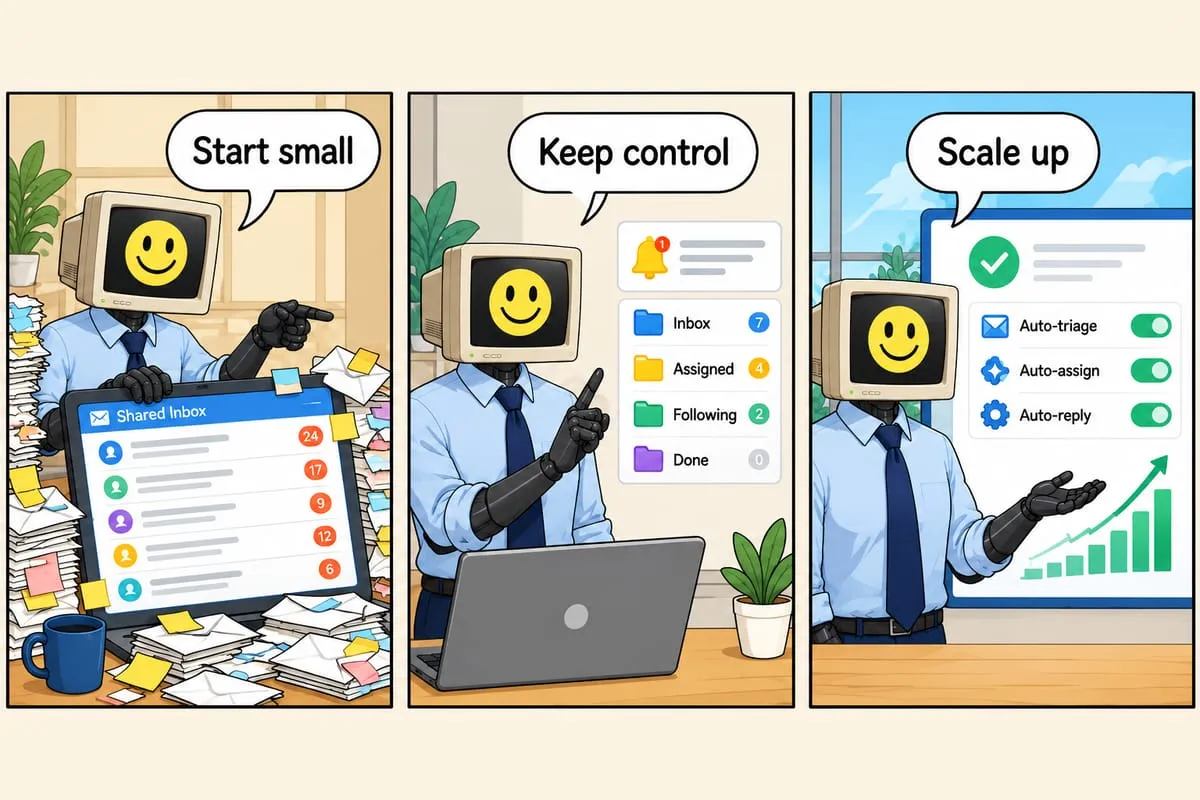
- Start with one document type. Your highest-volume agreement. Prove the pattern there, then extend. Don’t try to automate every contract shape in month one.
- Keep humans in the loop where the data is sensitive. Custom pricing, legal carve-outs, one-off clauses — those still deserve a review. Approval workflows around the automation aren’t a weakness; they’re what makes it trustworthy.
- Log everything. Every envelope event, every data push, every downstream action. When something goes wrong — and eventually something will — you want a complete trail, not a mystery.
- Build around exceptions, not just the happy path. Declined envelopes, wrong signers, customers who want a markup sent back — these happen. The automation should hand them off gracefully, not crash.
When it’s worth automating
If any of these sound familiar, you’re past the point where manual is fine:
- The same contract type goes out more than a few times a month.
- Signed agreements trigger a bunch of manual follow-up in other systems.
- People keep asking “has that been signed yet?”
- Missing signatures are delaying billing.
- Regulated or high-volume agreement workflows (think law firms, construction change orders, property leases) consume real headcount.
For the specific mechanics of how we wire this together — envelope generation, webhook handling, CRM and accounting sync, and storage — see how we automate DocuSign workflows. And if you’re in a regulated or document-heavy practice area like legal services, the bigger win is usually the end-to-end workflow, not the signature itself.
The signature is the middle step. Everything around it is the work.